Hedgehog Evolve How to Redeem Codes
Claim RELEASE and future codes for Wins in under a minute.
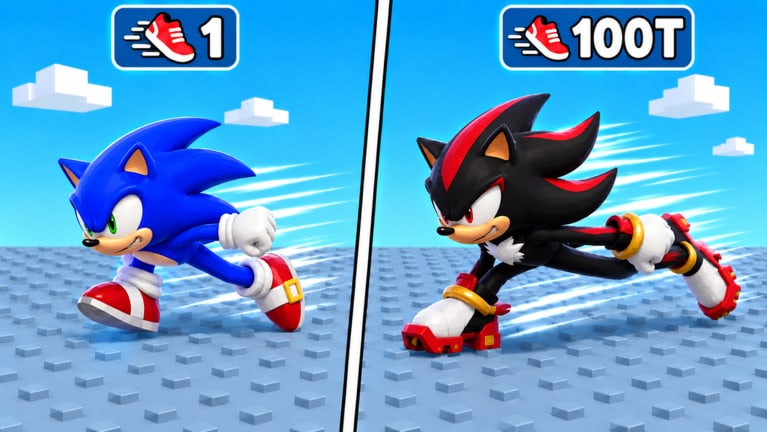
Before you start
You need a Roblox account and access to [WORLD 2] +1 Hedgehog Evolve (Hedgehog Evolve) by R W Studios. The place is online multiplayer on Roblox for PC, mobile, and console through the Roblox client. Codes grant Wins, which you spend on rebirth and progression power — not rings.
Have the current code ready from the Codes Hub. As of November 2026 the verified active code is:
RELEASE→ 25 Wins
Copy it carefully. Extra spaces, missing letters, or lowercase/uppercase mistakes are the number-one redeem failure.
Step-by-step redeem (all platforms)
- Launch the experience from the official Roblox game page or your continue list. Wait until the HUD fully loads — Shop will not accept codes during the first loading splash.
- Look to the left side of the screen for the Shop button. On phones in portrait, the left cluster can sit under other buttons; rotate or pinch the UI if Shop is hard to tap.
- Open Shop and scroll all the way to the bottom. The code field is not at the top with gamepass tiles; it sits under the main offer list.
- Find the Enter code text box. Tap or click it so the keyboard / input focus appears.
- Paste or type
RELEASE(or whatever active code you are redeeming). Avoid autocomplete adding spaces. - Press Redeem. A success toast or Wins balance change should confirm the claim.
- Close Shop and verify your Wins currency updated. If the number did not move, wait a few seconds for replication, then reopen Shop once.
That is the entire official flow. There is no separate Discord bot, website form, or “code machine” NPC required. Anything that asks you to leave Roblox and enter a password is a scam.
Mobile, console, and UI quirks
Mobile: Shop on the left can compete with thumb reach. Use landscape if the code box is clipped. After redeeming, keep the session open long enough for Wins to sync before you force-close the app.
Console (via Roblox): Use the on-screen keyboard carefully — console paste support varies. Prefer typing short codes like RELEASE character by character. If the virtual keyboard inserts a trailing space, delete it before Redeem.
PC: Paste from the Codes Hub with Ctrl+V, then visually confirm the box contents before clicking Redeem.
If the Shop panel feels frozen, close it, walk a few studs, and reopen. Client UI desync happens more often on busy servers with thousands of concurrent players.
What you receive
Verified Hedgehog Evolve codes reward Wins. Wins are the progression currency tied to rebirth multipliers and long-term power. They do not automatically evolve your hedgehog or clear race stages for you — you still train speed (+1 per step), collect rings, evolve forms, and race.
After redeeming RELEASE:
- Note your new Wins total.
- Decide whether to rebirth soon or hold Wins for a better breakpoint (see Evolutions and the Tier List Hub).
- Keep grinding rings and speed so the currency converts into real stage time saves.
Daily login streaks and playtime rewards remain separate. Redeem codes and claim streak/playtime gifts in the same session when you can.
Troubleshooting failed redeems
| Symptom | Likely cause | Fix |
|---|---|---|
| “Invalid” / nothing happens | Typo or extra space | Retype from the Codes Hub table |
| Already redeemed | Same Roblox account claimed it | Normal — codes are one-time |
| Worked for a friend, not you | Expired between sessions | Check Codes Hub expired section |
| Button greyed out | UI still loading | Rejoin the place, wait for full HUD |
| Wins missing after success toast | Replication lag | Soft rejoin; check balance again |
Never redeem the same dead code dozens of times hoping for a glitch. If the hub marks a code expired, move on.
Private servers vs public servers should not change code validity — redemption is account-bound through the experience, not the specific server instance. Still, if Shop fails only in one server, hop once and retry.
Safety checklist
- Redeem only inside the in-game Shop Enter code box.
- Ignore websites that promise unlimited Wins generators.
- Do not download random “code unlocker” executables; that path overlaps with malware and ban risk (see the Scripts Hub safety notes if you research executors).
- This wiki is fan-made and not affiliated with SEGA or R W Studios’ official support channel.
After a successful redeem
Use the free Wins intentionally:
- Skim Getting Started if you are still learning the train → rings → evolve → rebirth loop.
- Compare spending options on the Tier List Hub before impulse buying.
- Return to the Codes Hub whenever World updates drop — World 2 launched late November 2026 and more codes may follow milestones.
- Browse Official Links for the Roblox place and R W Studios group so you catch shouts early.
Redeeming takes under a minute when Shop behaves. The real gain is spending Wins at the right rebirth and evolution breakpoints so your hedgehog form climbs World 1 and World 2 stages faster than players who leave currency idle.
Frequently Asked Questions
Quick answers for Hedgehog Evolve players.
Where is the Enter code box?
Open the Shop button on the left side of the HUD, then scroll to the bottom of the shop panel. The Enter code field sits under the main offers.
Can I redeem RELEASE more than once?
No. Each code is one-time per Roblox account. A second attempt usually fails as already redeemed.
Do codes work on mobile?
Yes. Use the same Shop → scroll → Enter code → Redeem flow. Landscape mode helps if the left Shop button is hard to reach.
What if Redeem does nothing?
Rejoin the experience, wait for the full HUD, retype the code without spaces, and try once. If it still fails, check the Codes Hub for expiry updates.
Are Wins the same as rings?
No. Rings are collected in-world for speed training loops. Codes grant Wins, a separate currency used for rebirth and progression power.